Blocking disposable email domains at Shopify checkout
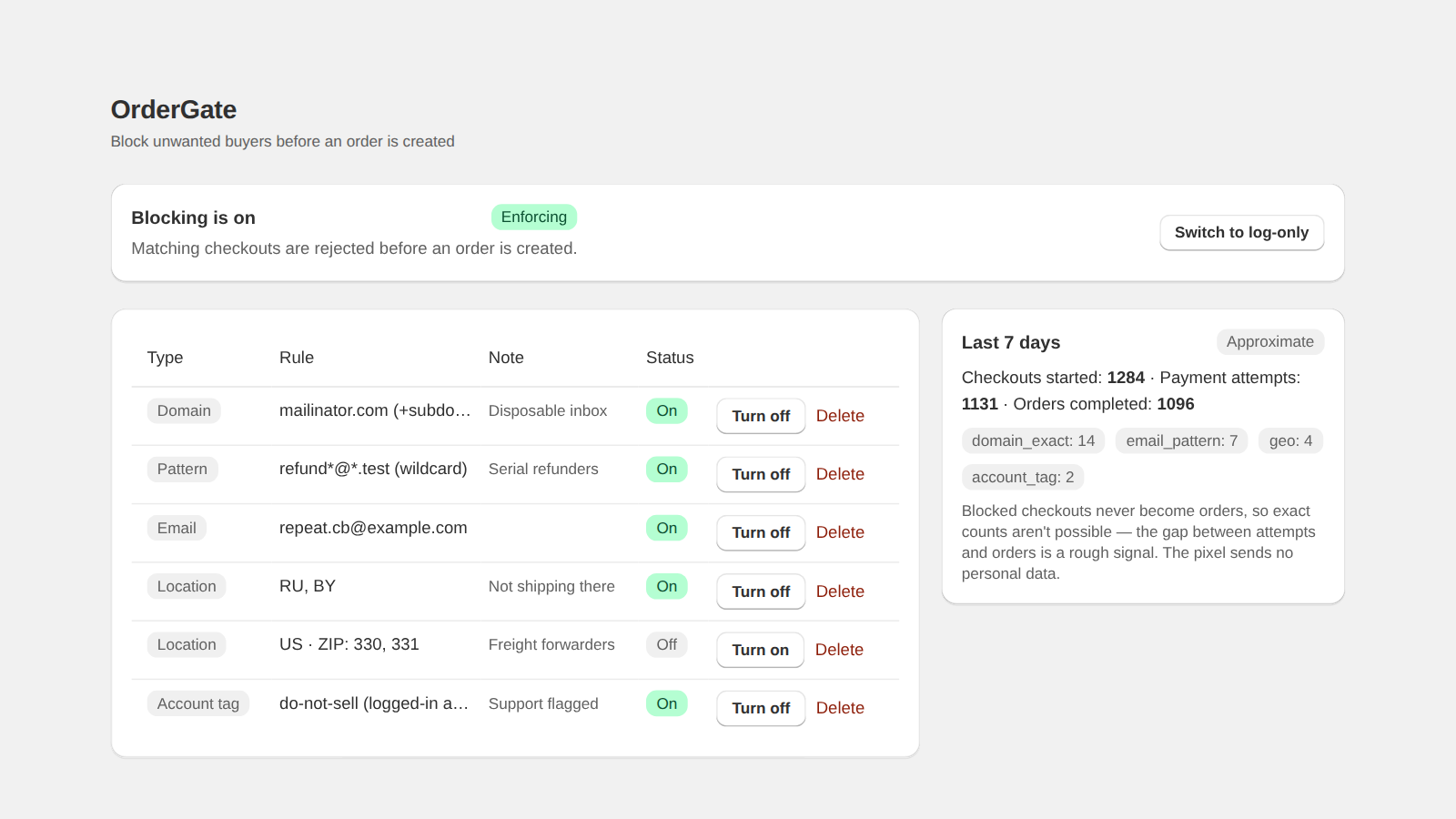
Block the domain, not the address. A disposable-mail service hands out a new address on demand at the same domain, so a rule against one address is obsolete within minutes, while a rule against the domain covers every address behind it. Domain rules are evaluated inside checkout validation, before the order is created.
Why blocking addresses one at a time loses
A disposable-mail service exists to hand out a fresh address whenever someone asks. Blocking the address you just saw costs the other side one click to work around, and costs you a rule that will never match again. Do this often enough and you end up maintaining a list of hundreds of dead entries.
The unit that is actually stable is the domain. One rule against the domain covers every address the service will ever issue on it.
Three shapes of rule, and when each fits
- Exact address — for a specific person you have a reason to refuse. Precise, and useless against rotation.
- Domain — matches everything after the @. This is the right shape for a disposable-mail service, and one rule replaces an unbounded list.
- Domain including subdomains — some services issue addresses on subdomains of a parent domain. Blocking the parent alone leaves those open, so the rule needs to cover them explicitly.
- Wildcard pattern — for the shapes a domain rule cannot express, such as a bot signature that always ends in digits before the @.
Where domain blocking stops working
This is the part most guides leave out, and it is the part that decides whether you are disappointed later.
- A buyer who moves to a real mailbox — a fresh free address at a mainstream provider — passes every disposable-domain rule you have. You cannot block the mainstream provider without blocking most of your real customers.
- Address subaddressing (a plus sign before the @) produces endless unique addresses at a domain a merchant does not want to block at all.
- A list of disposable domains ages. New services appear constantly, so a list frozen a year ago quietly stops catching much.
A rule set that holds up
Start with the domains you have actually seen in your own orders rather than importing a list of thousands — your own history is the best signal for what is being used against your store specifically.
Add the delivery location if the abuse is regional, because a disposable address paired with a country rule is a much tighter match than either alone.
Run in a mode that reports rather than blocks first, and read what it would have stopped before you turn enforcement on. A domain rule is a wide instrument and it is worth seeing its blast radius on your real traffic before it is live.
Where OrderGate fits
OrderGate supports all four rule shapes above, evaluated inside Shopify's checkout validation so a matching buyer never becomes an order, and it starts in log-only mode by default so the first thing it does is report rather than block. It does not ship a bundled list of disposable domains, because a stale list is worse than none.